
1. Introduction & Overview
RaytraceVerbGPU is a state-of-the-art 3D acoustic simulation and zero-latency convolution reverb plugin built from the ground up in Rust. It merges modern GPU compute power (wgpu / WGSL compute shaders) with real-time audio DSP to calculate the true physical acoustics of arbitrary 3D architectural spaces.
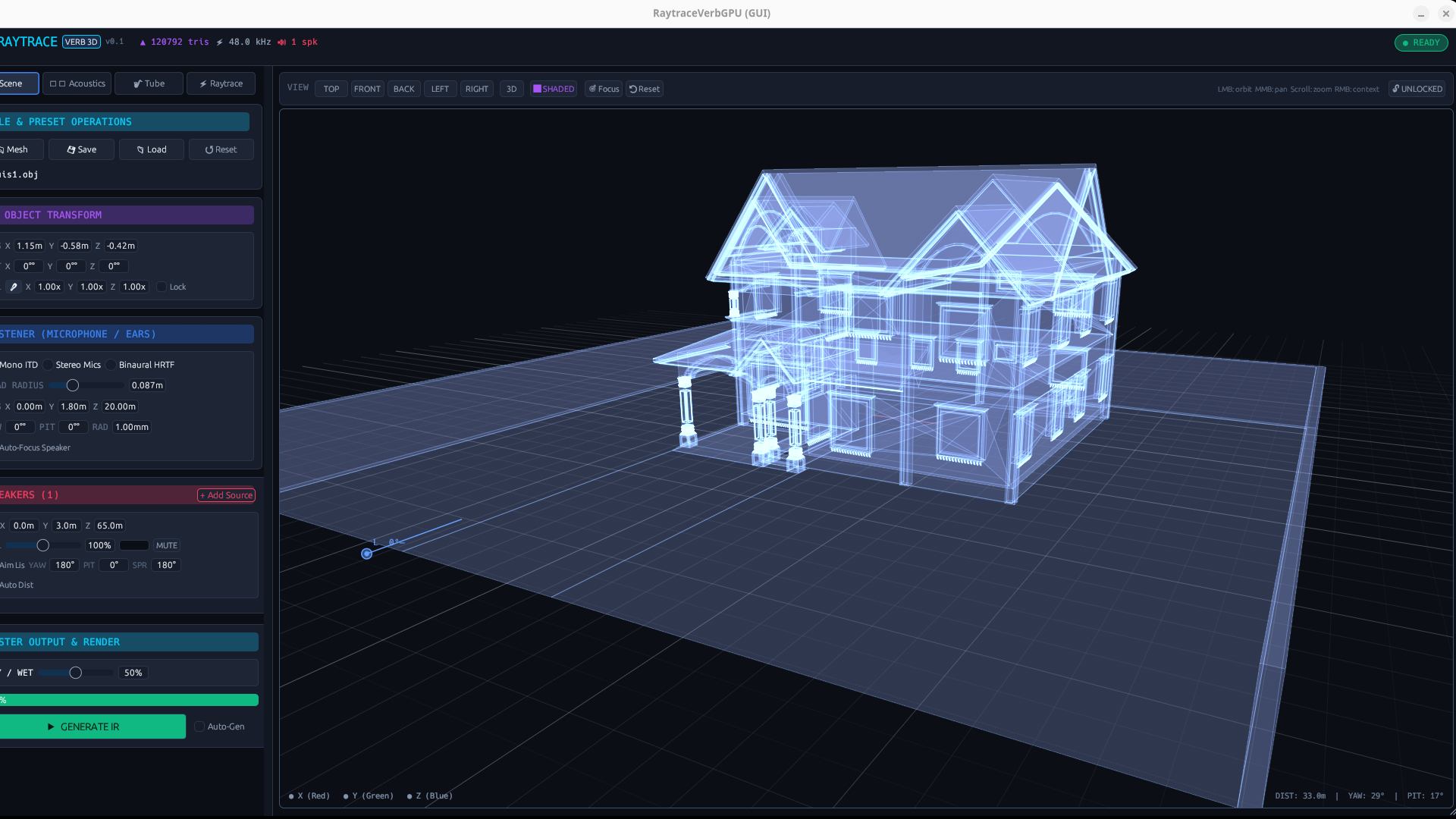
RaytraceVerbGPU: Interactive holographic 3D viewport with real-time virtual listener, directional speakers, and GPU raytracing engine.
🏛️ Arbitrary 3D Geometries
Import any .obj mesh (concert hall, cathedral, bedroom, parking garage, or abstract geometry). Up to 150,000 triangles accelerated via GPU BVH trees.
⚡ GPU Monte Carlo Raytracing
Fires between 1,000 and 500,000 rays, tracking up to 500 reflection bounces per ray on your graphics card via WGSL compute shaders.
🎯 Zero-Latency Convolution
Rendered impulse responses are compiled in a background worker thread and hot-swapped into a 512-sample partitioned FFT matrix with zero audio thread blocking.
🌀 Physical Waveguide Tube
Integrated physical PVC pipe resonator adding cylindrical harmonic standing waves, variable feedback, and acoustic resonance.
2. Key Architectural Highlights & Tri-Band DSP
Traditional reverbs either use crude algorithmic delay networks (physically inaccurate) or static impulse responses (rigid and unchangeable). RaytraceVerbGPU combines physical simulation with zero-latency partitioned convolution:
Tri-Band Frequency Decomposition
Acoustic surfaces absorb sound differently across the spectrum. RaytraceVerbGPU evaluates ray energy in three distinct bands:
- Low Band (< 500 Hz): Captures room boominess, boundary reinforcement, and bass buildup.
- Mid Band (500 Hz – 4 kHz): Governs vocal intelligibility, warmth, and core spatial presence.
- High Band (> 4 kHz): Simulates molecular air absorption, cymbal flutter, and crisp spatial sheen.
3. Installation & Host Setup
RaytraceVerbGPU is available in CLAP and VST3 formats for 64-bit Linux systems:
| Platform | CLAP Path | VST3 Path |
|---|---|---|
| Linux (Debian / Ubuntu / Arch) | ~/.clap/RaytraceVerbGPU.clap | ~/.vst3/RaytraceVerbGPU.vst3 |
Audio I/O Configuration
Stereo Input + Auxiliary Sidechain inputs (for routing individual DAW instruments directly to virtual speakers in the 3D room).
GPU Acceleration Requirements
Requires Vulkan 1.2+ drivers. Tested on AMD Radeon, NVIDIA GeForce, and Intel Iris Xe GPUs with full WebGPU / WGSL compute compatibility.
4. User Interface Anatomy
The interface is organized into three synchronized control zones:
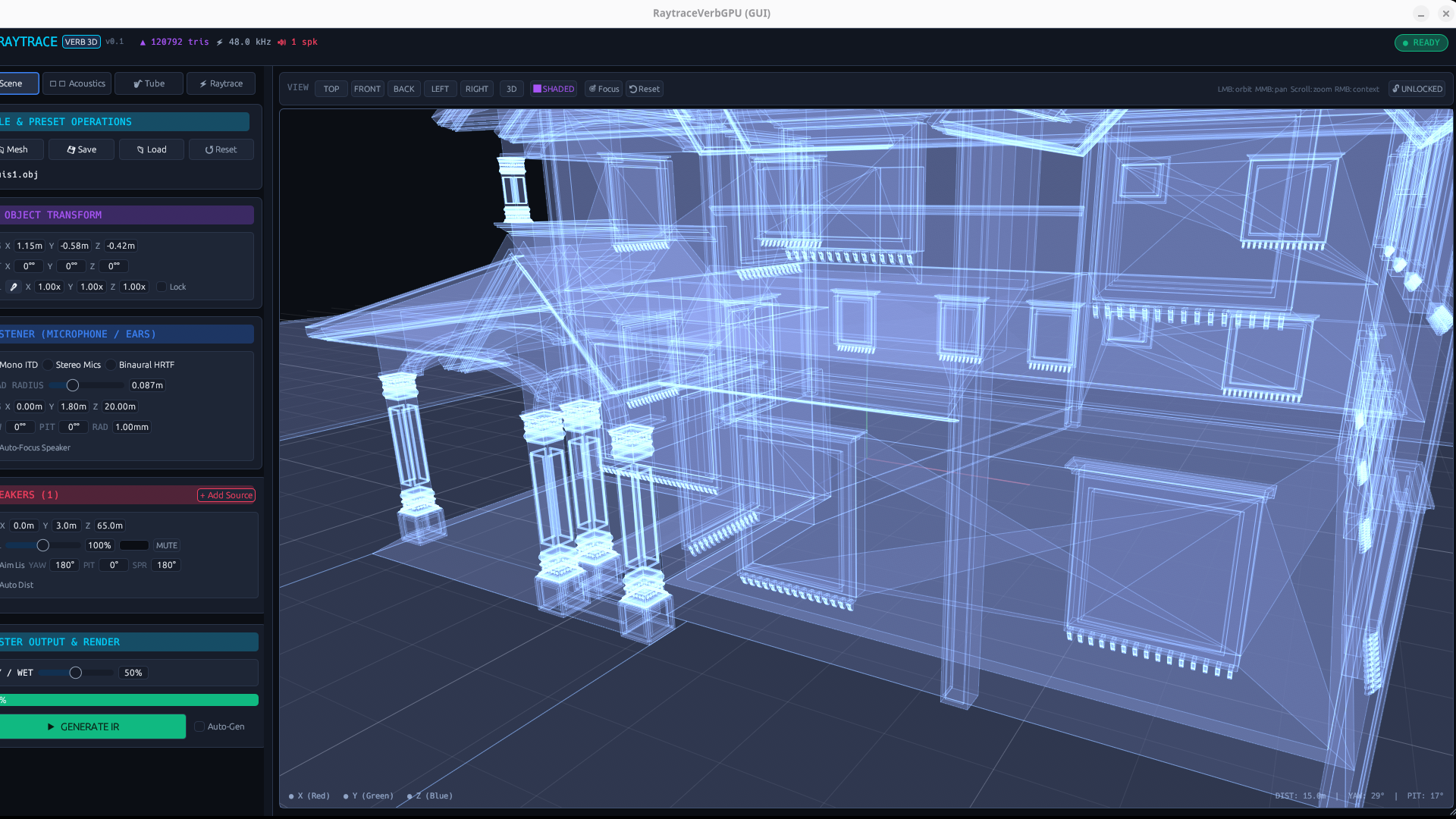
UI Overview: Top telemetry HUD bar, left tabbed sidebar (395px width), and central interactive 3D viewport.
1. Top HUD Bar
Displays active triangle count (▲ tris), DAW audio sample rate (⚡ kHz), active speaker count (🔊 spk), and real-time GPU simulation status (● READY or ⏳ COMPUTING xx%).
2. Left Control Sidebar
Four specialized navigation tabs (Scene, Acoustics, Tube, Raytrace) plus the docked Master Output & Render bar.
3. 3D Holographic Viewport
Real-time orbital camera, wireframe / shaded rendering, 3D interactive handles for listener (blue) and sound sources (red), plus projection modes.
5. Tab 1: Scene & Object Setup
The Scene tab handles 3D model loading, spatial coordinate transforms, listener configuration, and virtual speaker placement.
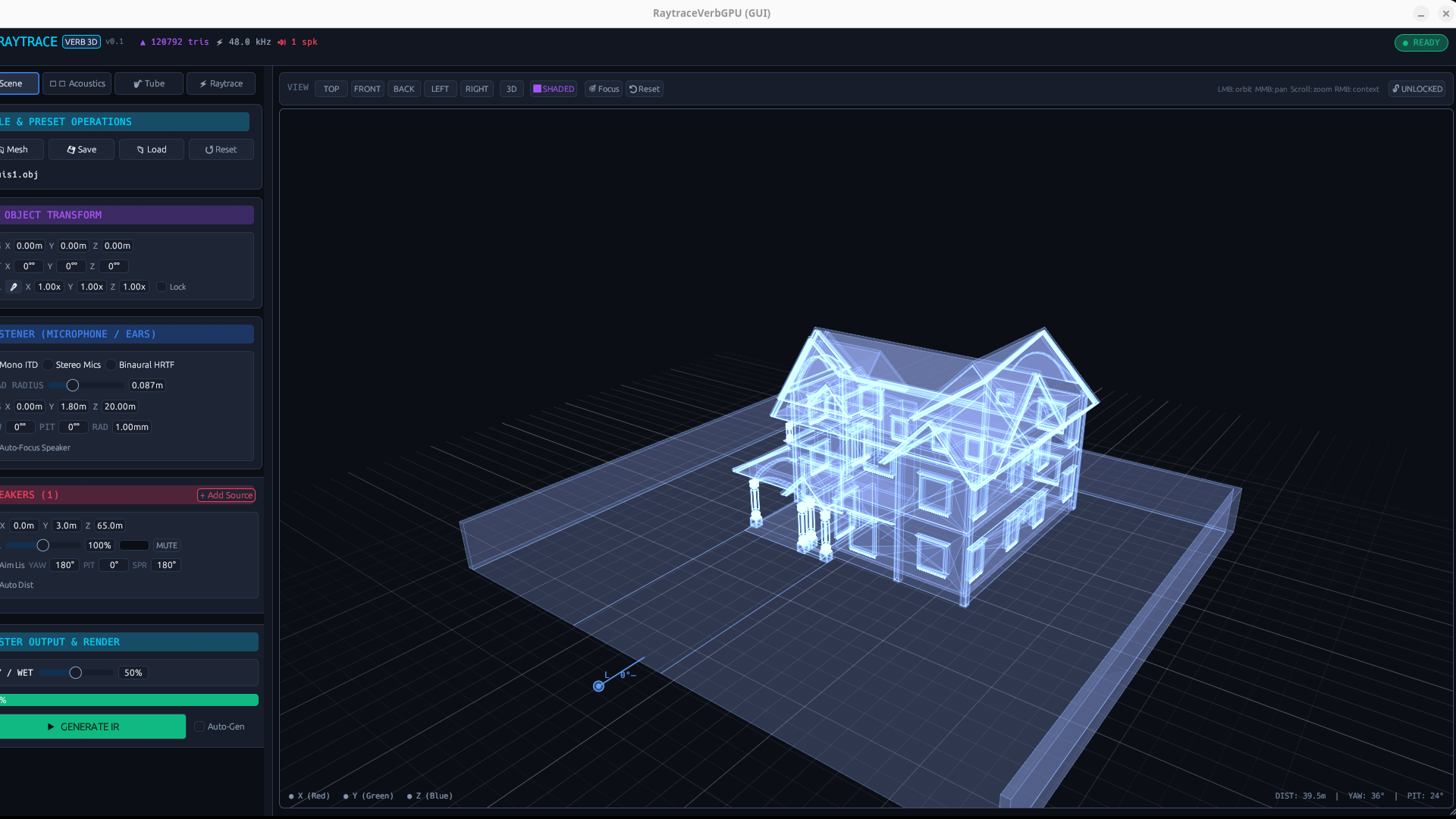
Scene Tab: 3D file operations (Mesh, Save, Load, Reset), Room Transforms, Listener Spatial Mode, and Speaker Sources.
Virtual Listener (Microphones / Ears)
Configure how sound is collected inside the 3D acoustic environment:
- Mono ITD: Calculates Interaural Time Difference using the Woodworth spherical head model:
Δt = (a / c) · (θ + sin θ). - Stereo Mics: Simulates a spaced pair of directional capsules. Controls:
MIC DISTANCE: Capsule separation (0.0 to 1.0 m, default 0.17 m for ORTF/DIN).MIC ANGLE: Outward capsule angle (0° to 180°, default 90°).
- Binaural HRTF: Full 3D headphone spatialization combining interaural delay with frequency-dependent head shadow and pinna filtering.
- Head Radius: Adjusts head width in meters (default 0.0875 m = 8.75 cm).
- Auto-Focus Speaker: Automatically turns the listener's head to face the active sound source.
Virtual Speakers (Sound Sources)
RaytraceVerbGPU supports up to 3 discrete virtual speakers:
- Position (X, Y, Z): 3D coordinates in meters.
- Volume (0% to 200%): Individual source level scaling.
- Auto Dist vs Manual Dist: Inverse-square law attenuation (1/r) or fixed level.
- Radiation Spread (1° to 360°): From focused acoustic laser cone to omnidirectional point emission.
- Aim at Listener: Automatically directs radiation cone axis towards the listener.
6. Tab 2: Acoustics & Surface Materials
The Acoustics tab governs how sound waves reflect off surfaces and dissipate through air.
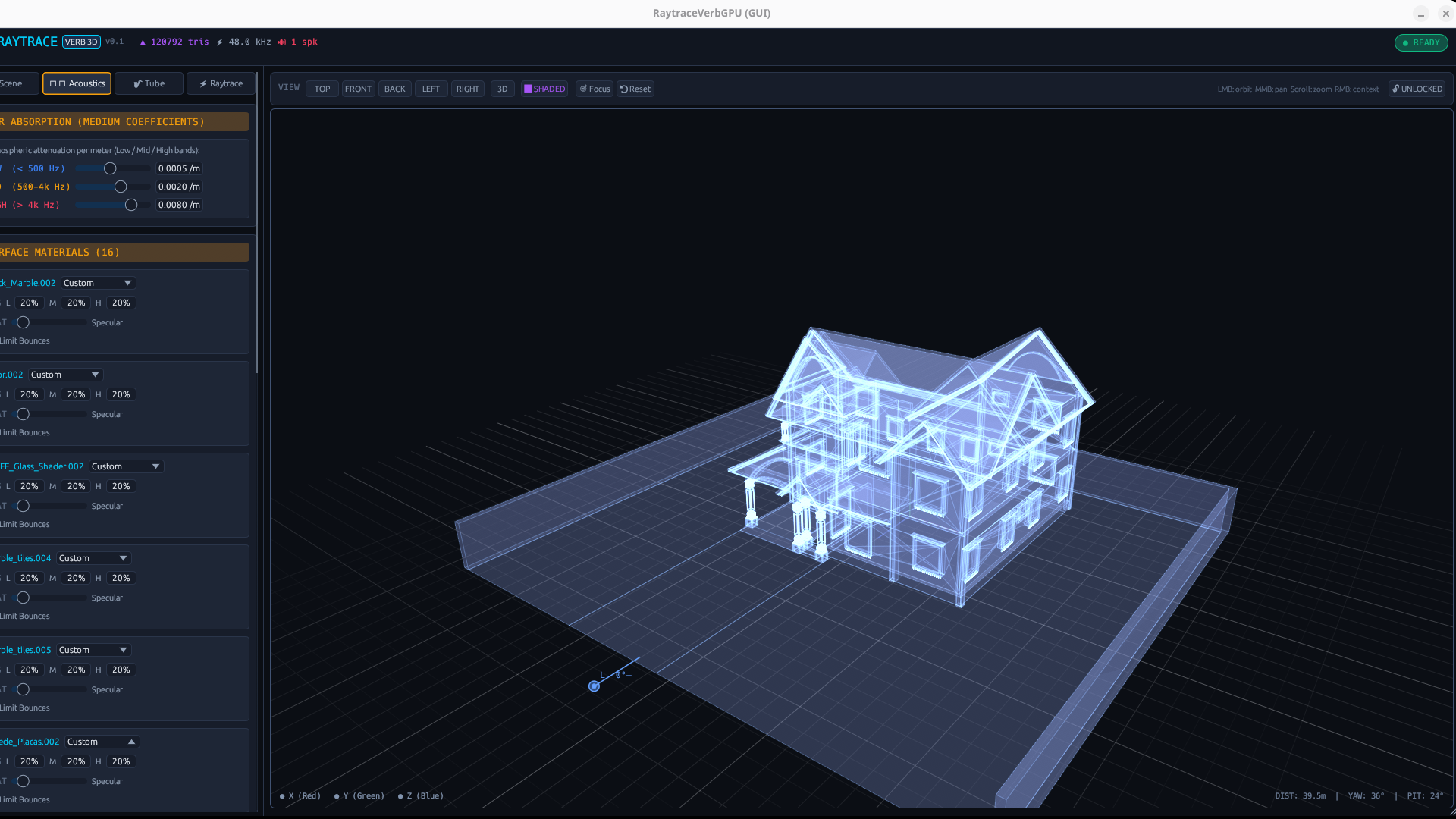
Acoustics Tab: Atmospheric air absorption controls and material groups absorption/scattering matrix.
Surface Materials Matrix
RaytraceVerbGPU automatically detects material groups defined in the .obj file, allowing you to configure tri-band absorption and scattering per surface:
| Material Preset | Low (< 500 Hz) | Mid (500 Hz – 4 kHz) | High (> 4 kHz) | Scattering (Diffuse) | Sonic Character |
|---|---|---|---|---|---|
| Concrete / Stone | 0.02 (2%) | 0.03 (3%) | 0.05 (5%) | 0.15 (Specular) | Hard, highly reflective surface with long reverberant decay and crisp flutter. |
| Wood Panel | 0.15 (15%) | 0.11 (11%) | 0.10 (10%) | 0.35 (Warm) | Warm natural reflection with balanced low-end resonance and smooth top-end. |
| Carpet / Drapes | 0.08 (8%) | 0.25 (25%) | 0.65 (65%) | 0.70 (Diffuse) | Heavy high-frequency acoustic dampening, eliminating flutter and harsh splash. |
| Glass Window | 0.04 (4%) | 0.03 (3%) | 0.02 (2%) | 0.05 (Mirror) | Near-perfect specular acoustic mirror; preserves ultra-crisp early reflections. |
| Brick / Masonry | 0.05 (5%) | 0.08 (8%) | 0.12 (12%) | 0.60 (Scattered) | Rough porous texture creating natural acoustic diffusion without harsh echoes. |
| Plasterboard | 0.29 (29%) | 0.10 (10%) | 0.04 (4%) | 0.20 (Standard) | Typical residential interior wall with moderate bass trap absorption. |
Atmospheric Air Absorption
Air absorbs high-frequency sound through molecular relaxation of nitrogen and oxygen molecules. Increasing High Air Absorption (> 4 kHz) creates an authentic sense of physical distance, naturally rolling off cymbal and transient glare in large spaces.
7. Tab 3: Waveguide / Physical PVC Tube Resonator
The Tube tab provides a physical acoustic waveguide modeling wave propagation inside cylindrical pipes:
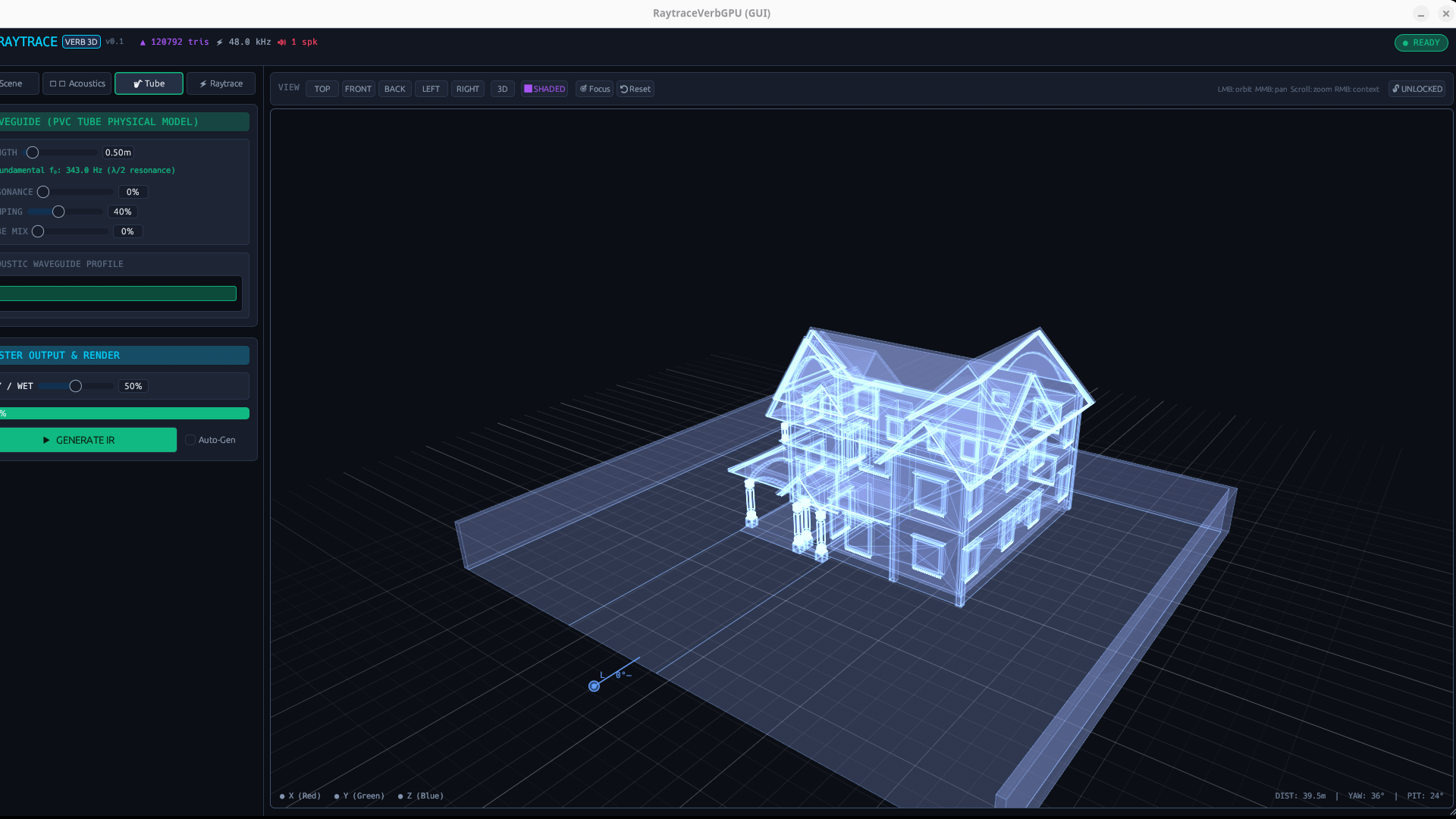
Tube Tab: Physical resonator length slider with real-time f0 fundamental pitch calculation and standing wave animation.
📏 Tube Length (0.1 m – 5.0 m)
Sets pipe length with automatic fundamental resonance readout: f0 = c / (2L) = 343 / (2L) (e.g. 0.50 m → 343.0 Hz).
🔄 Feedback / Resonance (0% to 98%)
Controls wave recirculation. At higher settings, produces ringing organ pipe harmonics, metallic drone, or sitar-like resonance.
🌫️ Damping (0% to 100%)
One-pole lowpass filter emulating viscous and thermal friction along the inner boundary walls of the pipe.
🎚️ Tube Mix (0% to 100%)
Blends the physical waveguide resonator into the master dry/reverb signal chain.
8. Tab 4: Raytrace Simulation & Impulse Response
Configures the Monte Carlo simulation engine and visualizes the generated impulse response:
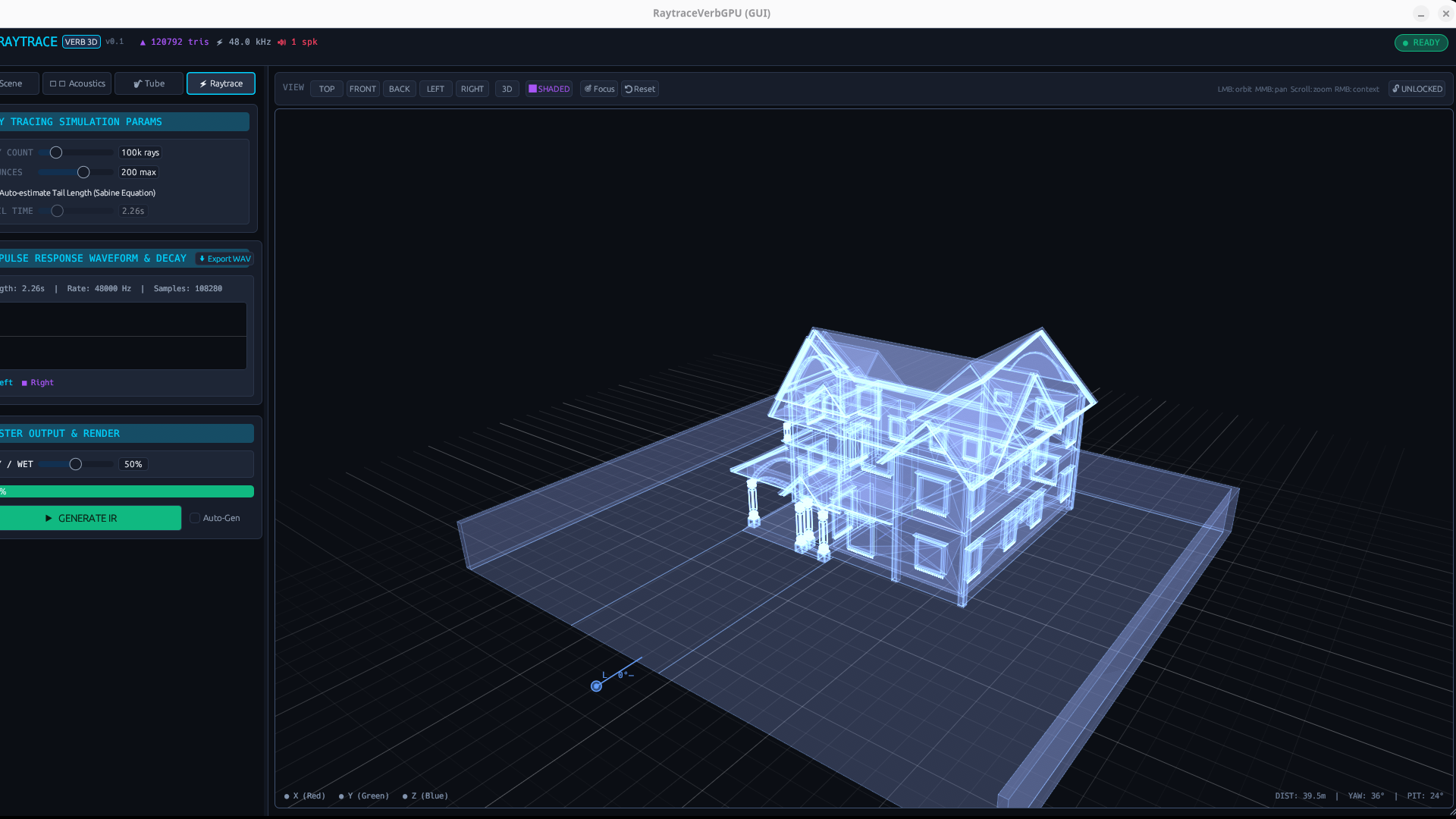
Raytrace Tab: Ray count, bounce limits, Sabine RT60 auto-estimation, and dual-channel IR waveform oscilloscope.
Sabine RT60 Auto-Estimation
When enabled, RaytraceVerbGPU calculates room volume (V) and surface area (S) from the 3D bounding geometry, computing theoretical decay time:
RT60 ≈ (0.161 · V) / (S · α_avg)
You can override this anytime with manual Tail Duration slider (0.1 s – 10.0 s). Click Export WAV to save the active 32-bit float stereo IR for external use.
9. Master Output & Render Panel
Permanently docked at the bottom of the left sidebar for instant access across all tabs:
10. Interactive 3D Viewport & Navigation
The central 3D viewport provides an intuitive holographic window into your room:
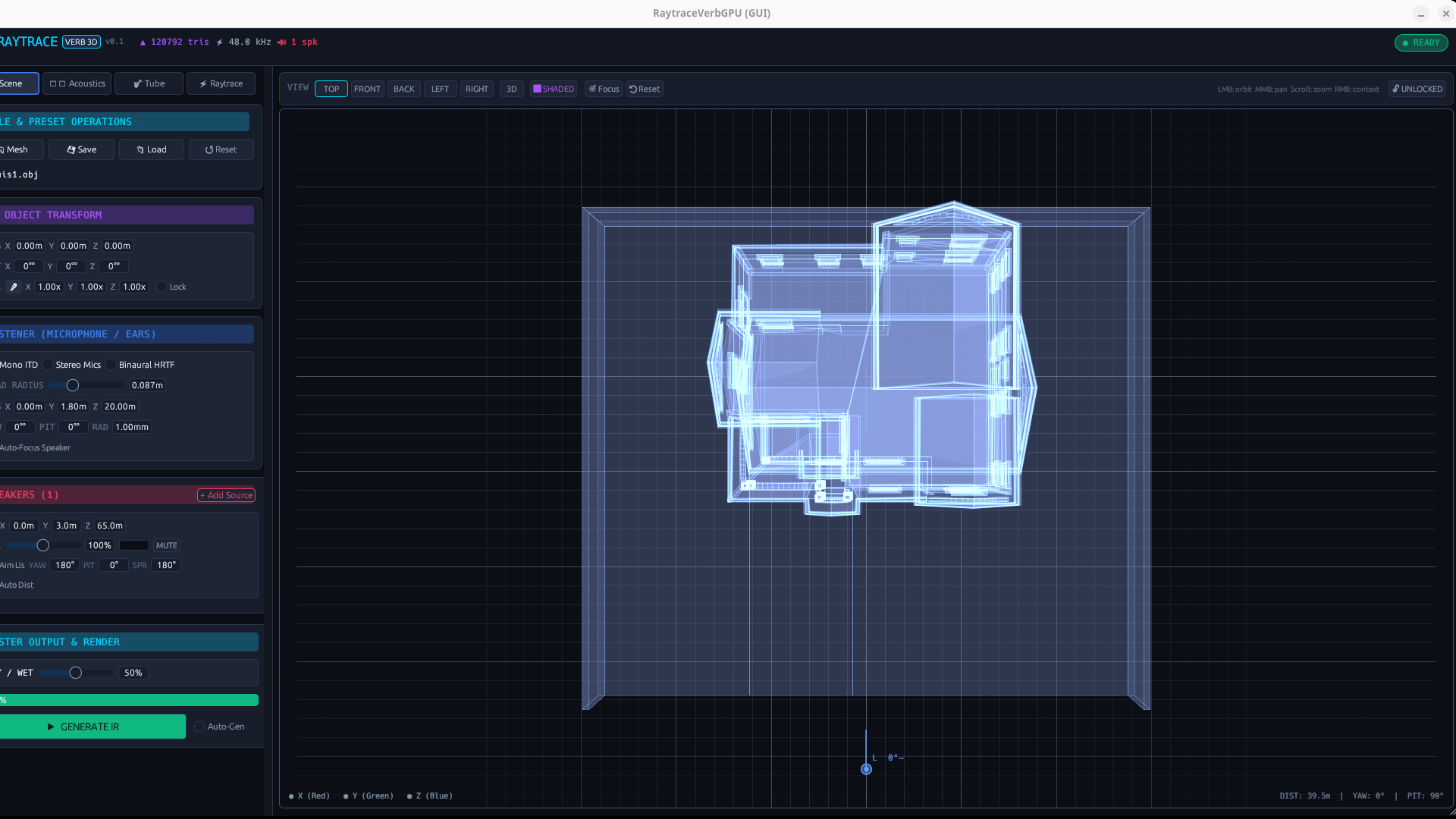
Top-down 2D floor-plan view for precise speaker and microphone placement.
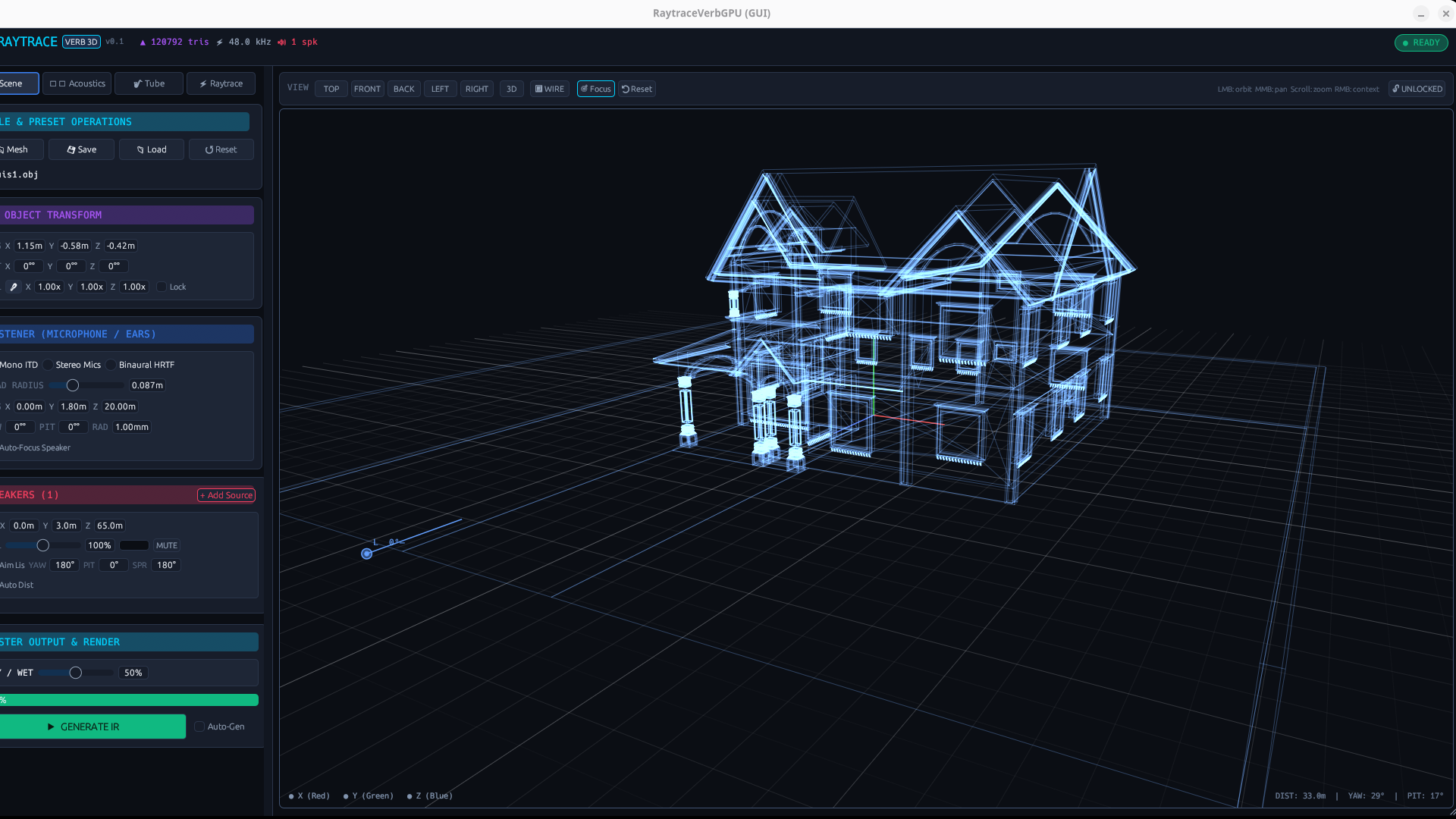
Wireframe mode inspecting complex interior polygon geometries and BVH bounds.
Mouse Camera Controls
LMB Drag: Orbit camera around center point.
MMB Drag: Pan camera across space.
Scroll: Zoom in and out.
RMB Click: Open floating context popups on objects.
Projection Modes
TOP / FRONT / BACK / LEFT / RIGHT: Orthographic elevation angles.
2D / 3D: Toggles CAD orthographic vs realistic perspective camera.
Display Modes
⬛ SHADED: Holographic semi-transparent faces.
🔲 WIRE: Clean wireframe polygon outlines.
🎯 Focus: Centers camera on active mesh.
🔒 LOCKED: Locks 3D grid.
11. Sound Design Recipes & Workflows
Explore these tested architectural acoustic configurations:
Recipe 1: Intimate Wooden Studio Room
Small studio room (test_room.obj) • Scale: 0.8×Tight, warm, authentic room reflections that seat acoustic guitars, percussion, and lead vocals inside a genuine physical booth.
Recipe 2: Grand Cathedral Reverberation
Cathedral / Hall mesh • Scale: 2.5× (Length ~40m)Enormous, majestic acoustic tail with lush diffuse decay, natural air roll-off, and zero artificial metallic ringing.
Recipe 3: Physical Pipe / Sitar Waveguide Resonator
Any room (Dry/Wet 40%)The dry sound excites physical standing waves inside the virtual PVC pipe, creating acoustic sympathetic resonance akin to a sitar or didgeridoo.
12. 3D Model Preparation Guidelines (Blender to OBJ)
You can create and import any architectural space modeled in Blender, Rhino, SketchUp, or CAD:
- Format: Export as standard Wavefront OBJ (
.obj). - Normals: Ensure face normals point inward towards the interior (where acoustic rays travel). In Blender: Mesh > Normals > Flip.
- Polygon Budget: Optimal range is 500 to 50,000 triangles. Up to 150,000 triangles are supported thanks to GPU BVH trees.
- Material Groups: Assign distinct material names to different surfaces (e.g.,
Floor_Wood,Walls_Brick,Glass_Window). RaytraceVerbGPU automatically imports them into the Acoustics matrix. - Scale Units: Model your room in meters (1 unit = 1 meter).
13. Troubleshooting & Performance FAQ
Q: Does GPU raytracing cause audio dropouts or buffer clicks?
No. Raytracing executes 100% on the GPU in background compute queues. Rendered impulse responses are compiled in a background worker thread and hot-swapped into partitioned FFT convolvers lock-free. The DAW audio thread never blocks.
Q: Why does GPU calculation take 1-2 seconds on complex scenes?
Simulating 500,000 rays with 500 bounces across a 100k polygon mesh requires millions of intersection tests. For real-time movement, set Ray Count to 30,000 - 80,000; then increase to 200,000+ for final offline export.
Q: Why does the room sound completely dry or silent?
Check that your sound sources (speakers) and listener are positioned inside the room mesh, and that face normals point inwards. If walls are completely black or rays miss, flip normals in Blender.
Q: How do I tame runaway feedback in the Tube model?
The waveguide tube is clamped to prevent digital clipping, but feedback settings above 90% with loud percussive input can sustain indefinitely. Lower Tube Feedback to 30% - 60% for natural acoustic decay.
14. Complete Parameter Reference Table
Search and filter all 32 RaytraceVerbGPU automation parameters below:
| ID | Name | Module | Type | Default | Range / Values | Unit | Description |
|---|---|---|---|---|---|---|---|
wet_dry | Dry/Wet Mix | Master | Knob | 50.0 | 0.0% to 100.0% | % | Master audio balance between dry input and processed reverb with 50 ms click-free smoothing. |
tube_len | Tube Length | Waveguide | Slider | 0.5 | 0.1 to 5.0 | m | Physical acoustic length of the cylindrical pipe (controls f0 fundamental pitch). |
tube_fb | Tube Feedback | Waveguide | Knob | 0.0 | 0.0% to 98.0% | % | Waveguide resonance and recirculation gain. Higher values create sustained organ pipe tones. |
tube_mix | Tube Mix | Waveguide | Knob | 0.0 | 0.0% to 100.0% | % | Waveguide resonator output dry/wet blend. |
tube_damp | Tube Damping | Waveguide | Knob | 40.0 | 0.0% to 100.0% | % | High-frequency thermal and viscous friction loss against the inner pipe walls. |
list_mode | Listener Acoustic Mode | Dropdown | Binaural HRTF | Mono ITD, Stereo Mics, Binaural HRTF | — | Spatial capture model: Woodworth spherical ITD, spaced pair stereo mics, or full binaural HRTF. | |
mic_dist | Mic Distance | Slider | 0.17 | 0.0 to 1.0 (ORTF/DIN) | m | Distance between virtual microphone capsules in Stereo Mics mode. | |
mic_angle | Mic Angle | Slider | 90.0 | 0.0° to 180.0° | ° | Outward capsule angle for stereo microphone pattern. | |
head_radius | Head Radius | Slider | 0.0875 | 0.05 to 0.15 | m | Acoustic head width in meters (default 8.75 cm). | |
list_x | Listener X | Slider | 0.0 | -1000.0 to +1000.0 | m | Virtual listener / microphone 3D position along X axis. | |
list_y | Listener Y (Elevation) | Slider | 1.8 | 0.0 to 1000.0 | m | Virtual listener height above the floor (ears height). | |
list_z | Listener Z | Slider | 20.0 | -1000.0 to +1000.0 | m | Virtual listener 3D position along Z axis. | |
list_yaw | Listener Yaw (Azimuth) | Slider | 0.0 | -180.0° to +180.0° | ° | Horizontal head orientation angle. | |
list_pitch | Listener Pitch | Slider | 0.0 | -90.0° to +90.0° | ° | Vertical head elevation angle. | |
list_rad | Capture Radius | Slider | 0.25 | 0.05 to 2.0 | m | Acoustic ray collection radius around the listener. | |
list_autofocus | Auto-Focus Speaker | Toggle | Off | Off / On | — | Automatically rotates the listener's head to track the active speaker. | |
spk1_x | Speaker 1 X | Speakers | Slider | 0.0 | -1000.0 to +1000.0 | m | Speaker 1 3D coordinate along X axis. |
spk1_y | Speaker 1 Y | Speakers | Slider | 3.0 | 0.0 to 1000.0 | m | Speaker 1 height above the floor. |
spk1_z | Speaker 1 Z | Speakers | Slider | 65.0 | -1000.0 to +1000.0 | m | Speaker 1 3D coordinate along Z axis. |
spk1_vol | Speaker 1 Volume | Speakers | Slider | 100.0 | 0.0% to 200.0% | % | Speaker 1 channel acoustic emission volume. |
spk1_spread | Radiation Spread Cone | Speakers | Slider | 180.0 | 1.0° to 360.0° | ° | Dispersion cone from acoustic laser (1°) to omnidirectional point source (360°). |
spk1_mute | Speaker 1 Mute | Speakers | Toggle | Off | Off / On | — | Silences speaker 1 channel. |
spk1_aim | Aim at Listener | Speakers | Toggle | On | Off / On | — | Automatically directs radiation cone axis towards the listener. |
air_low | Air Absorption (Low) | Acoustics | Slider | 0.0005 | 0.0000 to 0.0500 | m⁻¹ | Atmospheric dissipation loss below 500 Hz. |
air_mid | Air Absorption (Mid) | Acoustics | Slider | 0.0020 | 0.0000 to 0.0500 | m⁻¹ | Atmospheric dissipation loss between 500 Hz and 4 kHz. |
air_high | Air Absorption (High) | Acoustics | Slider | 0.0080 | 0.0000 to 0.0500 | m⁻¹ | Atmospheric molecular relaxation damping above 4 kHz (softens distant echoes). |
ray_count | Ray Count | Simulation | Slider | 100000 | 1000 to 500000 | rays | Total Monte Carlo acoustic rays fired into 3D scene per simulation pass. |
max_bounces | Max Bounces | Simulation | Slider | 200 | 10 to 500 | bounces | Maximum reflection generations computed per ray before termination. |
tail_time | Tail Duration (RT60) | Simulation | Slider | 2.5 | 0.1 to 10.0 | s | Target impulse response duration (or auto-estimated via Sabine formula). |
auto_sabine | Auto-estimate Tail (Sabine) | Simulation | Toggle | On | Off / On | — | Calculates room volume and surface area to automatically compute physical RT60. |
eco_mode | Eco Mode | Simulation | Toggle | On | Off / On | — | Suspends GPU raytracing compute passes when input audio is silent. |
auto_gen | Auto-Generate IR | Simulation | Toggle | On | Off / On | — | Automatically re-renders acoustic IR on GPU whenever objects, listener, or materials change. |