
📖 Table of Contents (Tap to Navigate)▼
1. Visual Overview
Scopion (v1.0.0, by vanBuffelen) is a completely free, zero-latency studio Stereo Time-Domain Oscilloscope (SIGNAL) and Calibrated Hann FFT Spectrum Analyzer (SPECTRUM) built in Rust (nih-plug + nih_plug_egui). Designed in the Nordic Daylight Minimal aesthetic (1040 × 640 baseline, proportionally scalable up to 3840 × 2160), Scopion pairs laboratory measurement precision with crisp, glare-free visual ergonomics.
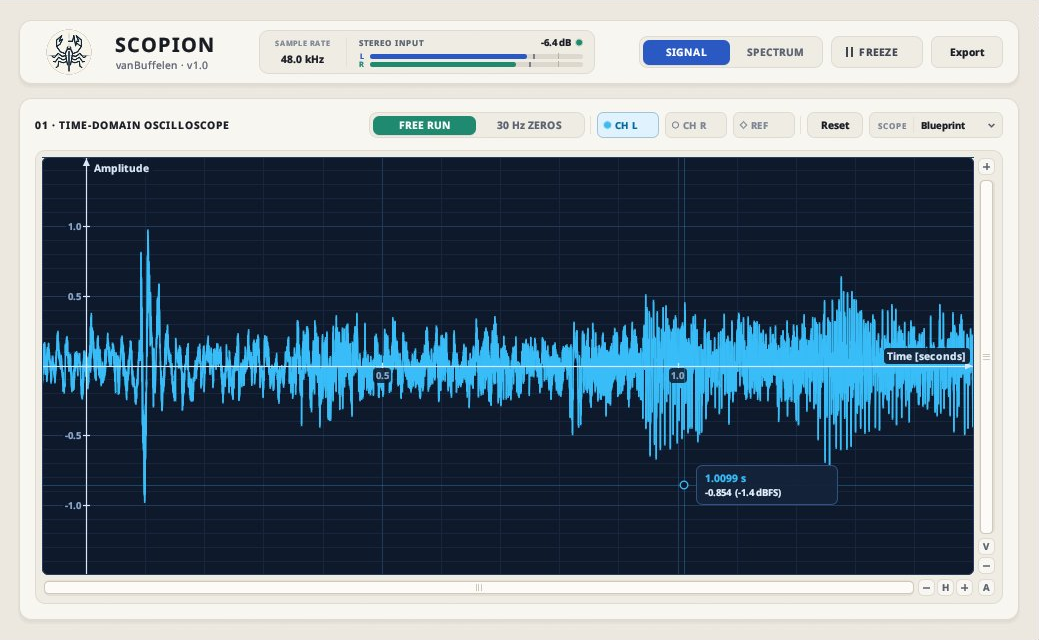
Figure 1.1: SIGNAL Mode — Time-domain stereo waveform in the Blueprint scope palette with cursor amplitude/dBFS readout.
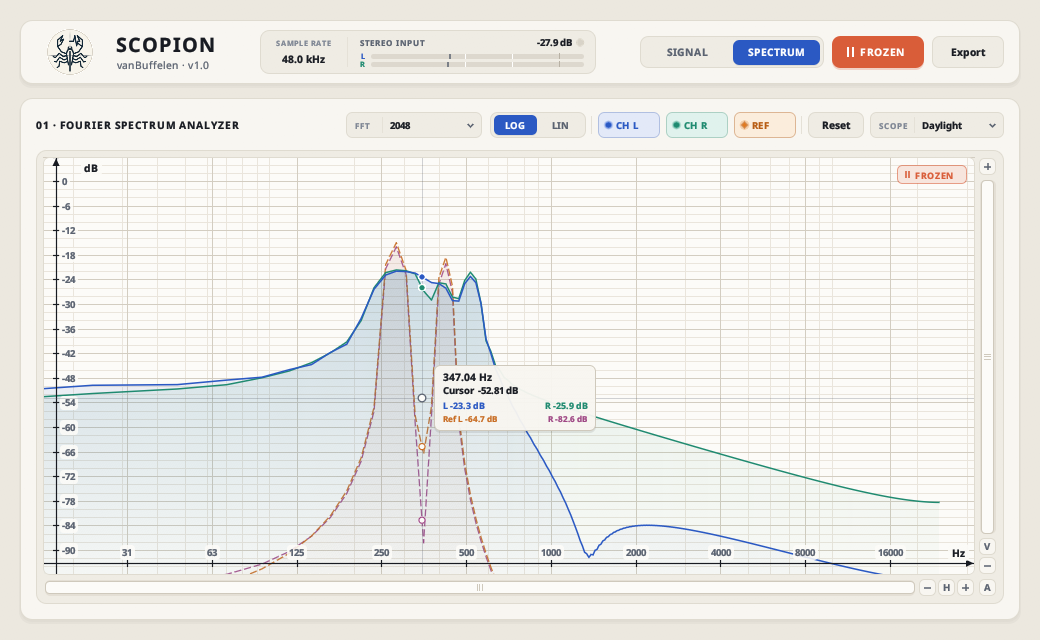
Figure 1.2: SPECTRUM Mode — Frozen 2048-point calibrated FFT with live CH L, CH R, and dashed REF A/B curves.
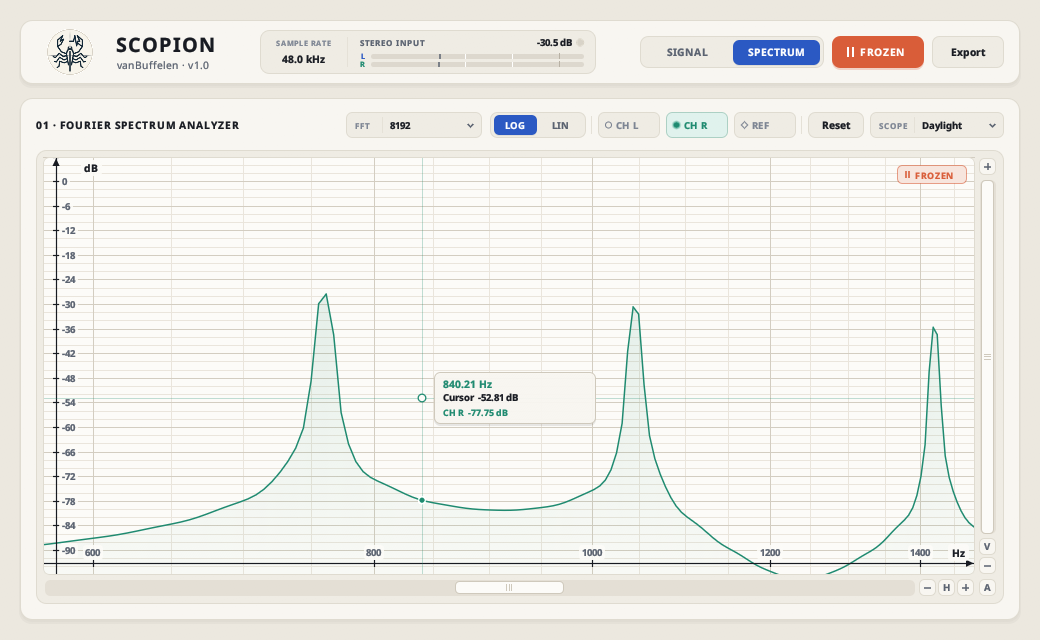
Figure 1.3: Deep-Zoom Harmonic Inspection — Adaptive sub-octave logarithmic grid at 8192-point FFT resolution.
2. Key Strengths & Engineering Highlights
1. Sub-Sample 30 Hz ZEROS Trigger
An RBJ 2nd-order Butterworth lowpass filter (fc = 30 Hz, Q = 1/√2) isolates the fundamental period despite distortion, harmonics, or DC offset, while linear zero-crossing interpolation (< 0.5% spread at 1 ms zoom) eliminates 1-sample horizontal jitter.
2. Three-Stage Adaptive Waveform
Renders Catmull-Rom cubic splines below 1 sample/px, 100% raw exact samples from 1..12 samples/px (up to ~225 ms at 48 kHz), and chronological [min, max] sub-pixel envelopes across the full 1.5 s history buffer.
3. Laboratory-Calibrated f64 FFT
Single-pass complex stereo Radix-2 Cooley-Tukey FFT (256–32,768 points, zero heap allocations) using a mean-normalized Hann window (2/N AC, 1/N DC) so a 0 dBFS sine wave reads exactly 0.00 dB.
4. Instant REF A/B Memory Trace
Capture a full-resolution snapshot of both stereo time-domain and FFT curves with one click on REF, rendered as a uniform arc-length dashed overlay that re-projects dynamically as you zoom, pan, or switch modes.
- Asymmetric Ballistic Smoothing + Peak Envelopes: Fast attack (
0.65) and smooth release (0.22) eliminate inter-frame phase-scalloping jitter while preserving sharp harmonic peaks across multi-bin high-frequency columns. - Zero-Latency Audio Pass-Through: In DAW hosts (
CLAP,VST3, AppleAUv2), Scopion adds 0 samples of latency and touches zero audio samples on the output path.
3. Interface Tour & Resizable Window
Row 1 — Studio Header Bar
| Control | Function |
|---|---|
| Scopion Emblem | Procedural 4× Retina (304 × 192) geometric scorpion + oscilloscope pulse emblem (vanBuffelen · v1.0). |
| Window Size (%) | Header percentage preset dropdown (75%, 85%, 100%, 115%, 125%, 150%, 175%, 200%) — scroll wheel to step, or double-click to reset to 100% (1040 × 640). |
| Stereo Input Monitor | Displays active host/hardware Sample Rate (44.1 kHz – 192 kHz), dual L / R peak-and-hold meters, numerical peak readout in dBFS, and clickable Clip LED (clears peak hold). |
| SIGNAL / SPECTRUM | Primary segmented switch between the Time-Domain Oscilloscope and Fourier Spectrum Analyzer. |
| FREEZE / || FROZEN | Latches the 262,144-sample (~5.4 s at 48 kHz) lock-free ring buffer and lights up the top-right || FROZEN stage badge. |
| Export | Opens the Export Plot (PNG / SVG) modal dialog up to 7680 × 4320 (8K). |
Row 2 — Contextual Analyzer Stage Bar
Mode-Dependent Left Controls
In SIGNAL Mode: Switch between FREE RUN (rolling 0–55 ms default, zoomable to 1.50 s) and 30 Hz ZEROS (sub-sample Butterworth rising zero-crossing lock).
In SPECTRUM Mode: Choose FFT Length (256 to 32768, default 8192) and toggle LOG (15.625 Hz – 32 kHz) vs. LIN (0 Hz – Nyquist).
Always-Available Right Controls
Toggle CH L / CH R traces, click REF to capture or toggle the dashed A/B memory trace (right-click to re-capture), hit Reset to restore factory axis bounds, or switch the SCOPE palette (Daylight, Obsidian, Phosphor, Blueprint).
📐 Corner Grip Resizing (720 × 450 to 3840 × 2160)
Drag the bottom-right three-line grip to resize Scopion smoothly to any size. Hold Shift while dragging to lock the 1040 : 640 aspect ratio, or double-click the corner grip anytime to snap straight back to 100%. Extra wide window space expands the plot canvas automatically.
4. Four Selectable Scope Color Schemes
Switch the recessed measurement stage live between four high-contrast palettes while keeping the warm Nordic Daylight outer frame intact — every palette carries directly into PNG and SVG exports:
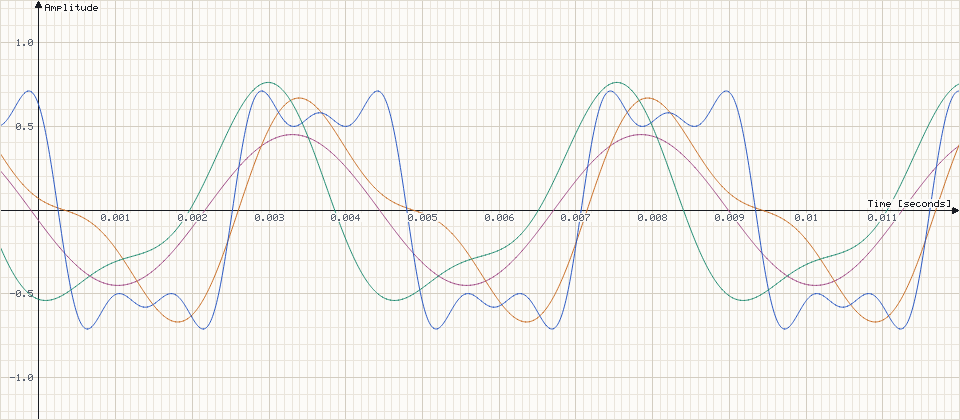
Daylight — Porcelain Paper (default print-ready light stage)
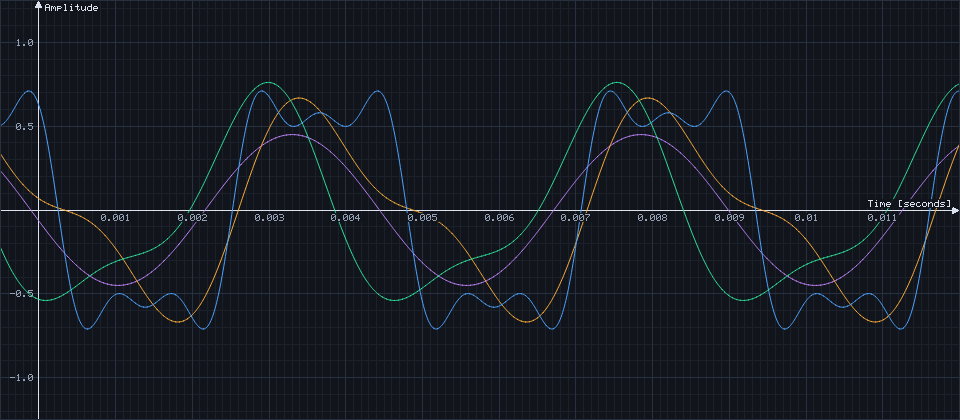
Obsidian — Dark Studio OLED stage
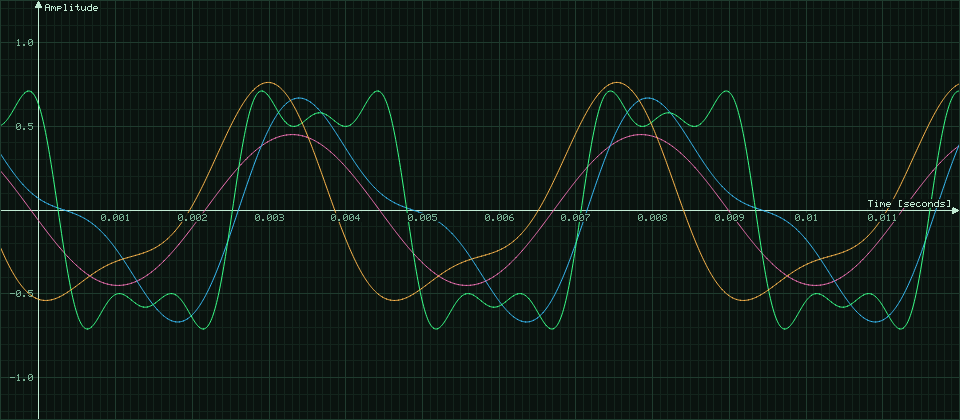
Phosphor — Classic Tektronix P31 CRT aesthetic
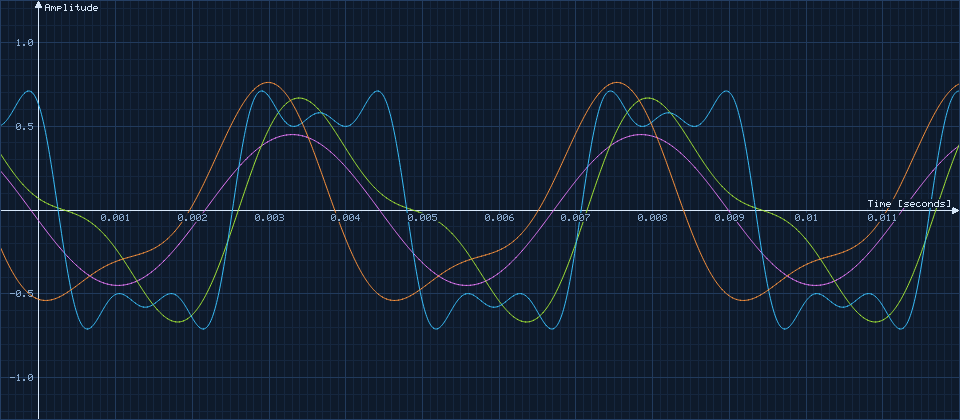
Blueprint — Cyan Technical Grid on Midnight Navy
6. Exporting Plots (PNG & Vector SVG)
Click Export in the top-right header (or right-click the plot and choose Export Plot (PNG / SVG)...) to generate crisp studio graphs:
- Custom Resolution (
Width × Height): Defaults to the live logical plot size and scales cleanly from320 × 180up to7680 × 4320(8K). - Format (
PNG/SVG):PNG: Renders an anti-aliased RGBA bitmap using Xiaolin Wu sub-pixel line rasterization, filled spectrum curtains, dashedREFoverlays, and axis labels.SVG: Generates a resolution-independent vector document with<polyline>traces,stroke-dasharray="6,4"reference lines, and sharp<text>labels.
- Target File (
Browse...): Choose a destination path; switching betweenPNGandSVGupdates the filename extension automatically. - Apple Logic Pro On-Screen Keypad (
macOS): When hosted inside Apple Logic Pro, GarageBand, or MainStage, clicking any text box in the Export modal automatically opens a floating mouse-clickable QWERTY & numeric pad so DAW transport key-hijacking never blocks export naming or dimensions.
7. Four Studio Measurement & Mixing Recipes
Use these proven setups to diagnose phase, sub-bass headroom, and tonal balance in seconds:
1. Kick & Sub-Bass Phase Alignment
Verify whether your kick tail and sub-bass fundamental reinforce or cancel each other out at the crossover point.
2. Mastering Headroom & Sub-Sonic Check
Spot silent 15–35 Hz rumble, DC offset, or sharp resonant whistling spikes robbing limiter headroom.
3. Mix Reference A/B Spectral Match
Compare the tonal curve of a commercial reference master directly against your own mix bus in real time.
4. Publication-Grade Vector Figures
Generate crisp, glare-free waveform and harmonic diagrams for studio notes, bug reports, or tutorials.
8. DAW Plugin Installation & Linux Standalone Application
Linux (x86_64) — Plugins & Standalone
Copy scopion.clap to ~/.clap/ and scopion.vst3 to ~/.vst3/.
Standalone App: Copy scopion to ~/.local/bin/scopion (or /usr/local/bin/scopion) and run chmod +x.
Windows (x86_64) — DAW Plugins
Copy scopion.clap to C:\Program Files\Common Files\CLAP\ and scopion.vst3 to C:\Program Files\Common Files\VST3\, then rescan in your DAW.
macOS Universal2 (Apple Silicon & Intel)
Copy Scopion.component (Logic Pro AUv2) to ~/Library/Audio/Plug-Ins/Components/ and Scopion.clap to ~/Library/Audio/Plug-Ins/CLAP/, then run once in Terminal:xattr -dr com.apple.quarantine ~/Library/Audio/Plug-Ins/Components/Scopion.component ~/Library/Audio/Plug-Ins/CLAP/Scopion.clap
Linux Standalone Monitor Routing (scopion)
- Silent Output Guarantee: In standalone mode, Scopion zeroes its playback output buffer right after tapping incoming audio so system audio is never doubled or echoed back to your speakers.
- Automatic PipeWire Output Tap: Launched without custom input flags on PipeWire, Scopion queries
@DEFAULT_AUDIO_SINK@viawpctland links your active interface's stereo monitor ports (:monitor_FL/:monitor_FRor Pro-Audio:monitor_AUX0/:monitor_AUX1) straight intoalsa_capture.scopion:input_FLandinput_FR. - ALSA CLI Options: Run
scopion -b alsa --input-device default -p 1024for explicit ALSA device selection, orscopion -b alsa --input-device ""to list available devices.
9. Complete Parameter & View State Reference
Every automatable DAW parameter and persisted view state in Scopion:
| ID | Name | Section | Type | Default | Range | Unit | Description |
|---|---|---|---|---|---|---|---|
| display | Display Mode | Header | Enum | Signal | Signal / Spectrum | — | Switches between Time-Domain Oscilloscope (SIGNAL) and Calibrated Hann FFT Analyzer (SPECTRUM). |
| sync | Trigger Sync | Signal | Enum | Free Running | Free Running / Lowpass Zeros | — | Toggles continuous rolling window vs. 30 Hz Butterworth sub-sample rising zero-crossing sync. |
| method | Spectrum Method | Spectrum | Enum | Fourier Transform | Fourier Transform | — | Active single-pass stereo Radix-2 Cooley-Tukey f64 FFT engine. |
| fft_size | FFT Length | Spectrum | Enum | 8192 | 256, 512, 1024, 2048, 4096, 8192, 16384, 32768 | samples | Selects transform resolution from fast transient tracking (256) to razor-sharp sub-Hz bass separation (32768). |
| log_scale | Frequency Scale | Spectrum | Bool | Log (On) | Log / Lin | — | Switches horizontal spectrum axis between Logarithmic (15.625 Hz – 32 kHz) and Linear (0 Hz – Nyquist). |
| freeze | Freeze Buffer | Header | Bool | Off | Off / On | — | Latches the 262,144-sample (~5.4 s at 48 kHz) lock-free ring buffer for detailed zoom and export. |
| show_left | CH L Visibility | Stage | Persisted Toggle | On | On / Off | — | Toggles or solos the Left channel trace in both SIGNAL and SPECTRUM modes. |
| show_right | CH R Visibility | Stage | Persisted Toggle | On | On / Off | — | Toggles or solos the Right channel trace in both SIGNAL and SPECTRUM modes. |
| ref_trace | REF Memory Trace | Stage | Snapshot | Empty | Capture / Toggle / Clear | — | Stores both stereo time-domain and FFT snapshots for dashed A/B comparison across zoom and mode switches. |
| color_scheme | Scope Color Scheme | Stage | Persisted Selector | Daylight | Daylight, Obsidian, Phosphor, Blueprint | — | Selects the recessed plot stage palette live on screen and in PNG/SVG exports. |
| signal_range | Signal Viewport | View State | Persisted Bounds | -2.75..55 ms / ±1.5 | Up to 1.50 s / ±1.5 | s / amp | Saved horizontal time span and vertical linear amplitude bounds for SIGNAL mode. |
| spec_range | Spectrum Viewport | View State | Persisted Bounds | 15.625 Hz..32 kHz / -96..+6 dB | Log & Lin bounds | Hz / dB | Saved Log/Lin frequency bounds and decibel floor/ceiling for SPECTRUM mode. |
| editor_state | Window Scale & Size | UI State | Persisted Size | 1040 × 640 (100%) | 720 × 450 to 3840 × 2160 (75%–200% presets) | px | Proportional window sizing via header scale dropdown, plot context menu, or Shift+Drag corner grip. |